CloakLLM Guard · Browser extension
Stops personal data before it reaches an AI chat.
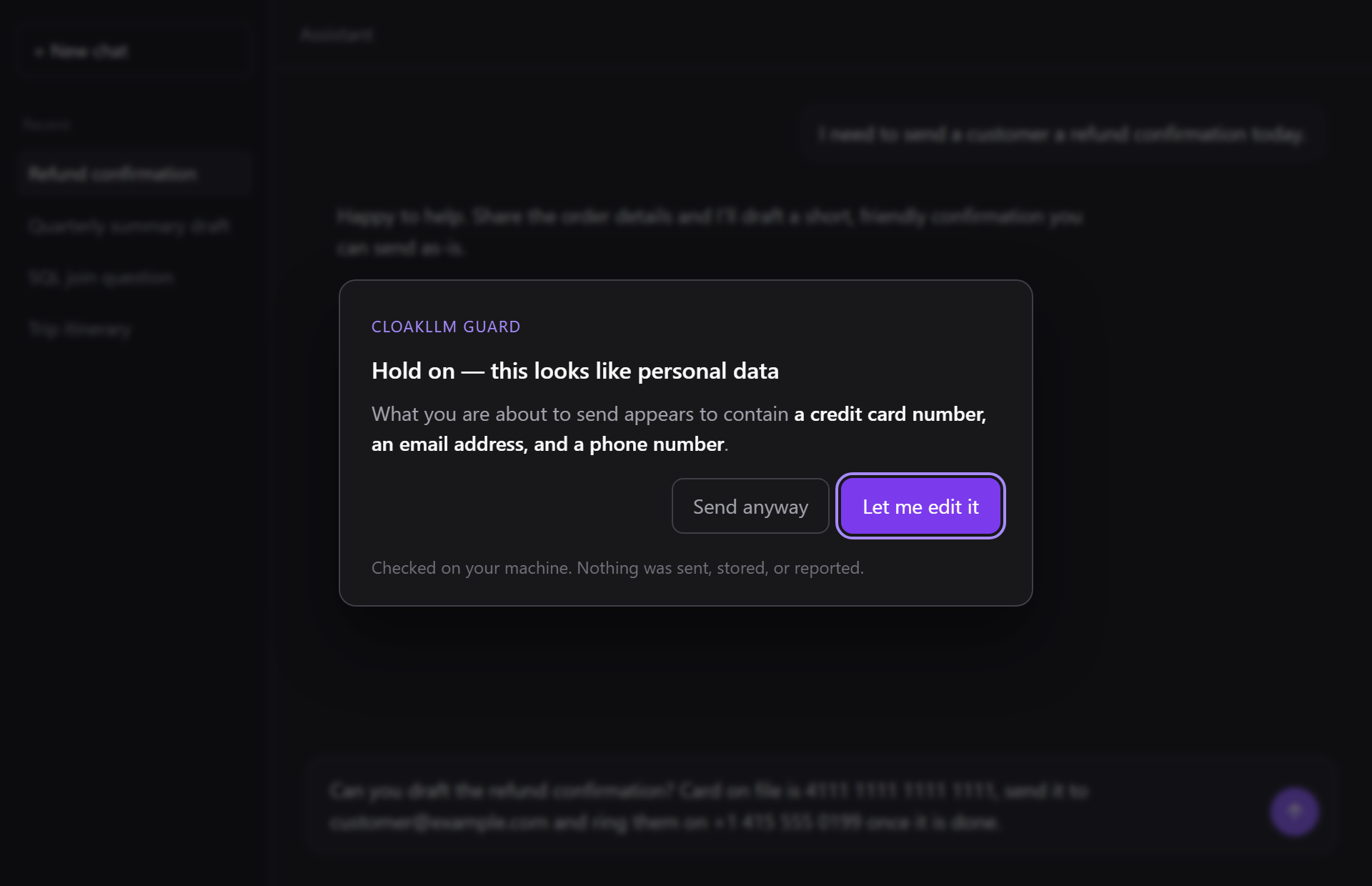
For ChatGPT, Claude, Gemini and Microsoft Copilot. Press send with a card number, an IBAN, an email address or an API key in the message, and Guard asks first. The check runs on your device; the extension never sends or stores what you type.
How it works
A seatbelt, not a lock.
1
You press send
Guard steps in only at the moment you send. Pasting and typing are checked quietly in the background, so the answer is ready when you need it.
2
It checks on your device
The message is checked inside the extension and then discarded. Nothing goes to a server. There isn't one.
3
You decide
If it finds something, it tells you what kind of data it found and asks: edit the message, or send anyway. Sending is always one click away.
Privacy
Three things it never does.
Send anything anywhere
The extension contains no network code: no server, no analytics, no account. It can read the message box on the six chat sites, and it keeps its own settings and log on your device. That is all it can do.
Store what you typed
It records that a warning happened and which kinds of data were found. Never the values, never the surrounding text.
Report to anyone
It warns you, and only you. Nobody else gets a copy, not your employer and not us.
Both claims are checked automatically: the extension’s test suite fails if network code appears anywhere in what ships, or if a planted value turns up in a stored record. Details in the privacy policy.
Coverage
What it catches, and what it can't see.
It warns about
- Credit card numbers
- Bank account numbers (IBAN)
- US Social Security numbers
- API keys
- AWS access keys
- Access tokens (JWT)
- Email addresses
- Phone numbers
IP addresses too, but that is off by default because they turn up constantly in ordinary developer conversations. Every category can be switched off. A warning you learn to click through is worse than none.
It cannot see
- The ChatGPT or Claude desktop apps
- Copilot, Cursor or other assistants inside a code editor
- Anything sent directly from code or the command line
- Anything on another device
- Names, postal addresses or dates of birth: it recognises the structured kinds of data listed opposite, and a person’s name on its own won’t trigger a warning
It works in browser tabs on chatgpt.com, chat.openai.com, claude.ai, gemini.google.com, copilot.microsoft.com and m365.cloud.microsoft. We’d rather you knew its limits now than found them out later.
Your record
See whether it's actually helping.
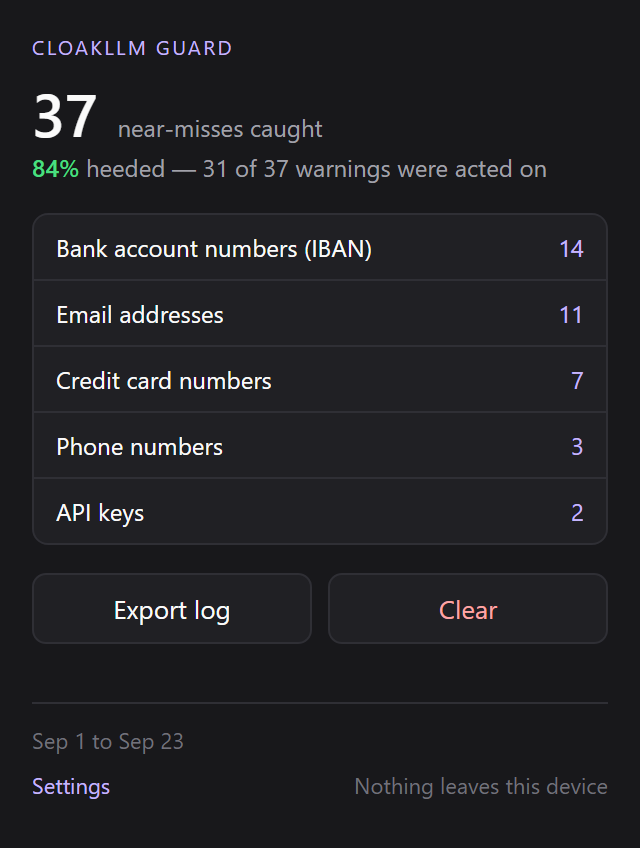
Every warning is logged on your device, as categories and counts only. The toolbar popup shows how many near-misses it caught, how often you acted on the warning, and which kinds of data keep coming up.
You can export the log as a hash-chained file that the open-source cloakllm-verifier can check, or delete all of it with one click. It’s your record, not ours. We never see it.
The numbers in this picture are sample data.